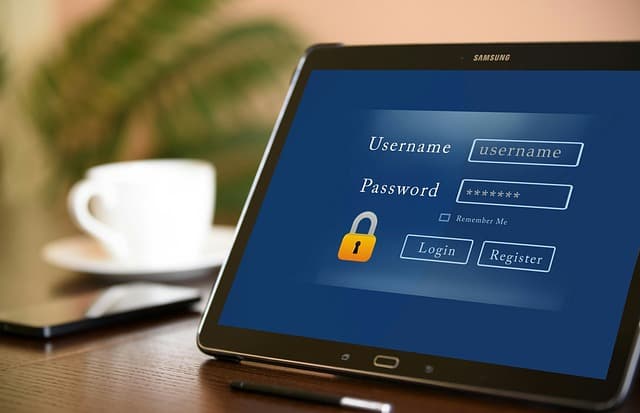
Many people find it difficult to remember and keep track of numerous passwords. Most online activities, except for browsing web pages, require you to log in. Some people use simple, easy-to-remember passwords, while others use one complex password for all their accounts. Neither of these options is recommended, as in both cases, attackers can easily gain access and steal your personal data. A much better option is to use a password manager. But what is it, how does it work, and is it safe?
What is a password manager?
A password manager is a program that helps users create strong passwords, store them in a digital vault protected by a single master password, and then retrieve them as needed when logging into accounts.
What is a password manager used for?
Using a password manager has a number of advantages. Password leaks are a common occurrence when websites are hacked, resulting in user data such as names and passwords falling into the hands of malicious actors. Once they have obtained login credentials, attackers can use them on other websites. If the same credentials are used on multiple websites, a data leak from one website allows attackers to gain access to all accounts. Therefore, it is important to use strong, unique passwords for each website. A strong password consists of at least 12 characters, ideally more, and contains a combination of uppercase and lowercase letters, numbers, and special characters. It should also not use obvious or well-known information, such as birth dates or family members’ names.
Most users have multiple online accounts. According to a study conducted in 2020, the average internet user has about 100 accounts, and keeping track of numerous long and complex passwords becomes problematic. In such cases, password managers are very useful: they simplify the process by generating and remembering strong random passwords. As a result, you only need to remember the password for the password manager itself.
How does a password manager work?
There are various password managers available on the market. Once you have chosen the right one, the first thing you need to do is set it up and protect it with a master password. When using a password manager, all your passwords are stored in one place—a digital vault—and the master password is the key to that vault. The master password is used to encrypt the contents of the vault, so it must be strong. It is also important not to lose it, otherwise you will have to reset the passwords for all your online accounts. Therefore, choose a master password that you are sure you will not forget. Some password managers used on mobile devices allow access via fingerprint or facial recognition.
Immediately after installation, the password manager reads the username and password each time you log in to an application or website and stores them in digital storage. A reliable password manager should track all changes made to usernames and passwords in the storage and offer to update the stored information for that site or application. Many password managers use autofill: they automatically fill in login credentials for websites and applications when you visit the relevant pages.
In addition to saving time, the autofill feature can alert you to phishing attempts. For example, if you visit a website that looks like your usual banking site, but the form fields are not automatically filled in with your login details, this could be a sign of typosquatting—a phishing site with a web address that is similar to the real site, but contains a typo.
Password managers remember more than just passwords. Most password managers also remember personal information such as your name, address, and credit card details, and automatically enter them into the required web forms. This saves time when making transactions such as online purchases. A reliable password manager also stores documents, medical records, and photos in encrypted storage that only you can access.
When you create new accounts, a password manager offers to generate a strong random password for them, saving you the trouble of coming up with new passwords every time. Strong password managers should also assess the strength of existing passwords and notify you if they have been compromised in a data breach.
One way to increase the security of your password manager is to enable multi-factor authentication (MFA) for your accounts. With multi-factor authentication, an additional key is required to unlock your password manager in addition to your master password. This can be a fingerprint, facial recognition, a code sent to a mobile authentication app, or a hardware security key.
Once you have created a master password and set up multi-factor authentication for your account, you can simplify the use of your password manager by installing a browser extension. Advanced password managers have extensions for popular browsers.
How reliable are password managers?
Given that password managers store all your passwords, contact details, credit card information, and other potentially important documents, the question arises as to how reliable and secure they are.
Some password managers can be hacked, so it’s important that the information stored in them is encrypted. If a password manager uses industry-standard encryption, such as the Advanced Encryption Standard (AES) algorithm, attackers will have virtually no chance of decrypting the content. Each password manager has its own set of features, but in general, using password managers is safe.
Password managers do not store or have access to the master password and encrypted information in the password database, which provides an additional level of security. The key aspect of password manager security is the strength of the master password, so it is important to use a complex password and keep it secure.
Recommendations for choosing a password manager
Below is a set of recommendations for choosing a password manager.
- Choose a program that uses strong encryption.
- Make sure the program supports a lock feature, which will come in handy if you forget your password.
- Find out in advance how you can contact the program provider (by phone, email, or chat) if you encounter any problems.
- Make sure the program provides protection against credential theft and find out if you need to take additional measures to protect against other types of malicious activity.
- The program should be convenient for you to use. When choosing a password manager, evaluate its usability and make sure it can be integrated with all the devices and browsers you use.
- Weigh all the pros and cons. A full-featured password management solution is the best choice, but to get started, you can download a trial version of any free password management application.
A few words about browser password managers. Some web browsers have built-in password managers. As a rule, they are inferior to specialized password managers, as they usually store passwords on the computer in unencrypted form. This means that if your computer’s hard drive is not encrypted, attackers can access and view the password files on your computer. In addition, some browser password managers do not generate random passwords automatically and may not provide cross-platform synchronization.